Learning Security the Hard Way
Writing insecure web applications

OWASP Top 10 2013
Injection
Injection flaws, such as SQL, OS, and LDAP injection occur when untrusted data is sent to an interpreter as part of a command or query. The attacker’s hostile data can trick the interpreter into executing unintended commands or accessing data without proper authorization.
SQL injection
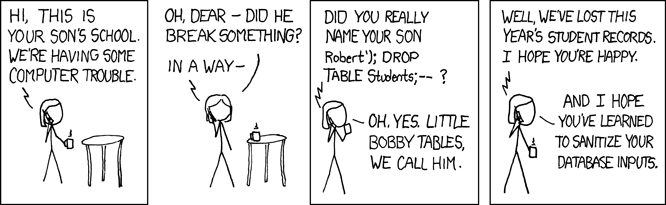
Shell injection

Case study: United States Midterm Elections, 2010
Case study: United States Midterm Elections, 2010
Upload ballot: 'ballot.$(malicious_command)'Rails PaperClip Plug-in 2.3.2 + performs path filtering.File.expand_path(ballot.$(malicious_command))run ( " gpg " , "−−trust −model always −o \"#{ File.expand_path ( dst.path ) } \" −e −r \"#{ @recipient } \" \"#{ File.expand_path (ballot.$(malicious_command)) } \" " )
Solution
Never use: exec(), eval(), passthru(), shell_exec()
Use caution: setTimeout(), setInterval(), new Function()
System-run jobs: be careful!
Broken Authentication and Session Management
Application functions related to authentication and session management are often not implemented correctly, allowing attackers to compromise passwords, keys, or session tokens, or to exploit other implementation flaws to assume other users’ identities.
How hashing & salting works
Making the hash
"password" + "x@de*pfj%n$m_i_am_a_nice_long_salt" hash_algorithm("passwordx@de*pfj%n$m_i_am_a_nice_long_salt") '08d399fe2647d383277a91729476c61e'
Storing the hash
| Username | Salt | Hash |
|---|---|---|
| marielle | x@de*pfj%n$m_i_am_a_nice_long_salt | 08d399fe2647d383277a91729476c61e |
| chimamanda | k*dmxxqhtk+eia | 561ec798ae164f2ab6ac4fbc70bac973 |
Checking users passwords
hashing_algorithm(user_entered_pwd+salt_from_db) == hashed_value_from_dbWrong way
U_SALT = "g8k"

if 'password' in request.GET:
	password = request.GET['password'].strip().lower()
	if password_hash == md5(password+U_SALT).hexdigest():
Right way
Bcrypt Node.js
//To hash a password:

var bcrypt = require('bcrypt');

bcrypt.genSalt(12, function(err, salt) {
    bcrypt.hash("my password", salt, function(err, hash) {
        // Store hash in your password DB.
    });
});

//To check a password:

// Load hash from your password DB.
bcrypt.compare("my password", hash, function(err, res) {
    // res == true
});
bcrypt.compare("not my password", hash, function(err, res) {
    // res == false
});
Ruby
Rails >= 3 ship with ActiveModel::SecurePassword which uses bcrypt-ruby.https://github.com/codahale/bcrypt-ruby
Django
Install extra library and set pwd hashing to bcrypt. https://docs.djangoproject.com/en/1.5/topics/auth/passwords/#using-bcrypt-with-django
PHP
PHP >= 5.5 has bycript built directly in- use use password_hash() to create a bcrypt hash of any password. http://stackoverflow.com/a/6337021XSS flaws occur whenever an application takes untrusted data and sends it to a web browser without proper validation or escaping. XSS allows attackers to execute scripts in the victim’s browser which can hijack user sessions, deface web sites, or redirect the user to malicious sites.
Case study: Tweetdeck
<script class="xss">$('.xss').parents().eq(1).find('a').eq(1).click();$('[data-action=retweet]').click();alert('XSS in Tweetdeck')</script>♥
— *arrrrndy (@derGeruhn) June 11, 2014Solution: Templating languages
Node: jade, dustjs-linkedin
Django: The Django template language
RoR: embedded Ruby (erb) -> Frontend security and Cross-Site Scripting (XSS) for Ruby on Rails developers
Wordpress/PHP: Twig
User formatting: Markup languages
G+: Disallowed
FB: Disallowed
Reddit: Markdown
Wikipedia: Wikitext
Various Forums: BBCode
"Visual Editors" (HTML editors): Wordpress, mediawiki
A direct object reference occurs when a developer exposes a reference to an internal implementation object, such as a file, directory, or database key. Without an access control check or other protection, attackers can manipulate these references to access unauthorized data.
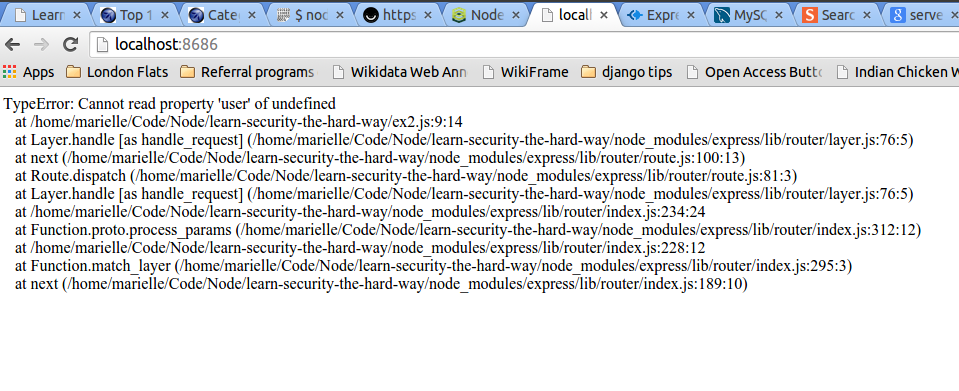
Errors on page debugging
Django
DEBUG = True
Ruby on Rails
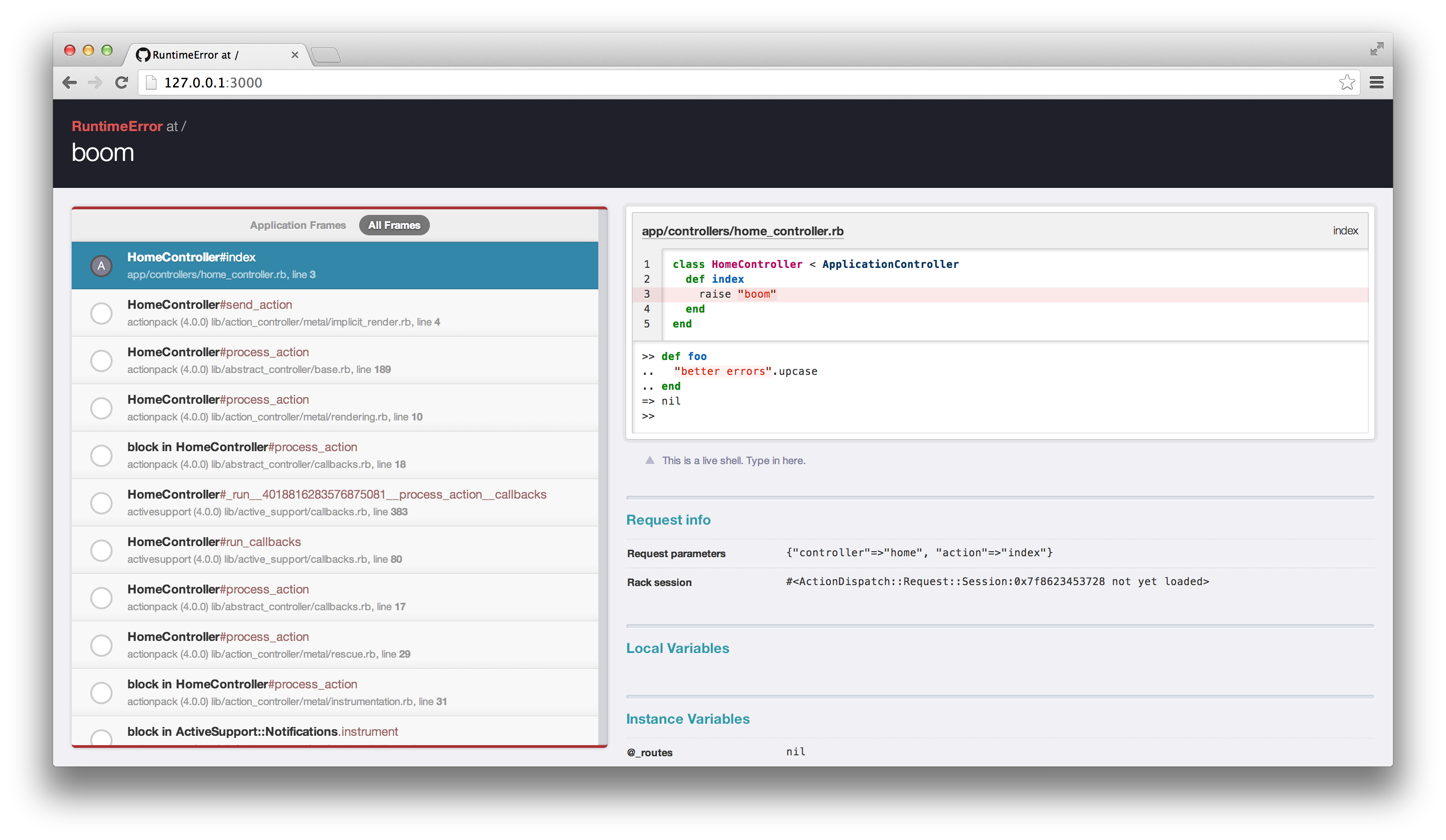
PHP/Node

Good security requires having a secure configuration defined and deployed for the application, frameworks, application server, web server, database server, and platform. Secure settings should be defined, implemented, and maintained, as defaults are often insecure. Additionally, software should be kept up to date.
Common mistakes
- admin : password
- Non-secure default settings- Django deployment checklist
- Missing headers - OWASP: List of useful HTTP headers
- Buy an SSL certificate!
- Lack of logging: Node has no apache logs! (winston, Bunyan)
-Matt Lowe, Node Security Training 16-09-14
Don't use public githubs as production repositories...
# Django settings.py

DEBUG = True
TEMPLATE_DEBUG = DEBUG

ADMINS = (
    # ('Your Name', 'your_email@example.com'),
)

MANAGERS = ADMINS

DATABASES = {
    'default': {
        'ENGINE': 'django.db.backends.sqlite3', # Add 'postgresql_psycopg2', 'postgresql', 'mysql', 'sqlite3' or 'oracle'.
        'NAME': '/mypath/mypath/mydb.db',                      # Or path to database file if using sqlite3.
        'USER': '',                      # Not used with sqlite3.
        'PASSWORD': '',                  # Not used with sqlite3.
        'HOST': '',                      # Set to empty string for localhost. Not used with sqlite3.
        'PORT': '',                      # Set to empty string for default. Not used with sqlite3.
    }
}

# Local time zone for this installation. Choices can be found here:
# http://en.wikipedia.org/wiki/List_of_tz_zones_by_name
# although not all choices may be available on all operating systems.
# On Unix systems, a value of None will cause Django to use the same
# timezone as the operating system.
# If running in a Windows environment this must be set to the same as your
# system time zone.
TIME_ZONE = 'America/Detroit'

# Language code for this installation. All choices can be found here:
# http://www.i18nguy.com/unicode/language-identifiers.html
LANGUAGE_CODE = 'en-us'

SITE_ID = 1

# If you set this to False, Django will make some optimizations so as not
# to load the internationalization machinery.
USE_I18N = True

# If you set this to False, Django will not format dates, numbers and
# calendars according to the current locale
USE_L10N = True

# Absolute filesystem path to the directory that will hold user-uploaded files.
# Example: "/home/media/media.lawrence.com/media/"
MEDIA_ROOT = ''

# URL that handles the media served from MEDIA_ROOT. Make sure to use a
# trailing slash.
# Examples: "http://media.lawrence.com/media/", "http://example.com/media/"
MEDIA_URL = ''

# Absolute path to the directory static files should be collected to.
# Don't put anything in this directory yourself; store your static files
# in apps' "static/" subdirectories and in STATICFILES_DIRS.
# Example: "/home/media/media.lawrence.com/static/"
STATIC_ROOT = ''

# URL prefix for static files.
# Example: "http://media.lawrence.com/static/"
STATIC_URL = '/static/'

# URL prefix for admin static files -- CSS, JavaScript and images.
# Make sure to use a trailing slash.
# Examples: "http://foo.com/static/admin/", "/static/admin/".
ADMIN_MEDIA_PREFIX = '/static/admin/'

# Additional locations of static files
STATICFILES_DIRS = (

    # Put strings here, like "/home/html/static" or "C:/www/django/static".
    # Always use forward slashes, even on Windows.
    # Don't forget to use absolute paths, not relative paths.
)

# List of finder classes that know how to find static files in
# various locations.
STATICFILES_FINDERS = (
    'django.contrib.staticfiles.finders.FileSystemFinder',
    'django.contrib.staticfiles.finders.AppDirectoriesFinder',
#    'django.contrib.staticfiles.finders.DefaultStorageFinder',
)

# Make this unique, and don't share it with anybody.
SECRET_KEY = '*zie$h=6e)7x1q70rxq$%2&l$3cz40i$^u8$wq$^%(5754*$ma'

# List of callables that know how to import templates from various sources.
TEMPLATE_LOADERS = (
    'django.template.loaders.filesystem.Loader',
    'django.template.loaders.app_directories.Loader',
#     'django.template.loaders.eggs.Loader',
)

MIDDLEWARE_CLASSES = (
    'django.middleware.common.CommonMiddleware',
    'django.contrib.sessions.middleware.SessionMiddleware',
   # 'django.middleware.csrf.CsrfViewMiddleware',
    'django.contrib.auth.middleware.AuthenticationMiddleware',
    'django.contrib.messages.middleware.MessageMiddleware',
)

ROOT_URLCONF = 'thissite.urls'

TEMPLATE_DIRS = (
    # Put strings here, like "/home/html/django_templates" or "C:/www/django/templates".
    # Always use forward slashes, even on Windows.
    # Don't forget to use absolute paths, not relative paths.

)

INSTALLED_APPS = (
    'django.contrib.auth',
    'django.contrib.contenttypes',
    'django.contrib.sessions',
    'django.contrib.sites',
    'django.contrib.messages',
    'django.contrib.staticfiles',
    # Uncomment the next line to enable the admin:
    'django.contrib.admin',
    'django.contrib.humanize',
    # Uncomment the next line to enable admin documentation:
    # 'django.contrib.admindocs',
    'cms',

)

# A sample logging configuration. The only tangible logging
# performed by this configuration is to send an email to
# the site admins on every HTTP 500 error.
# See http://docs.djangoproject.com/en/dev/topics/logging for
# more details on how to customize your logging configuration.
LOGGING = {
    'version': 1,
    'disable_existing_loggers': False,
    'handlers': {
        'mail_admins': {
            'level': 'ERROR',
            'class': 'django.utils.log.AdminEmailHandler'
        }
    },
    'loggers': {
        'django.request': {
            'handlers': ['mail_admins'],
            'level': 'ERROR',
            'propagate': True,
        },
    }
}

EMAIL_BACKEND = 'django.core.mail.backends.console.EmailBackend'

try:
    from local_settings import *
except ImportError:
    pass
Django secret key documentation
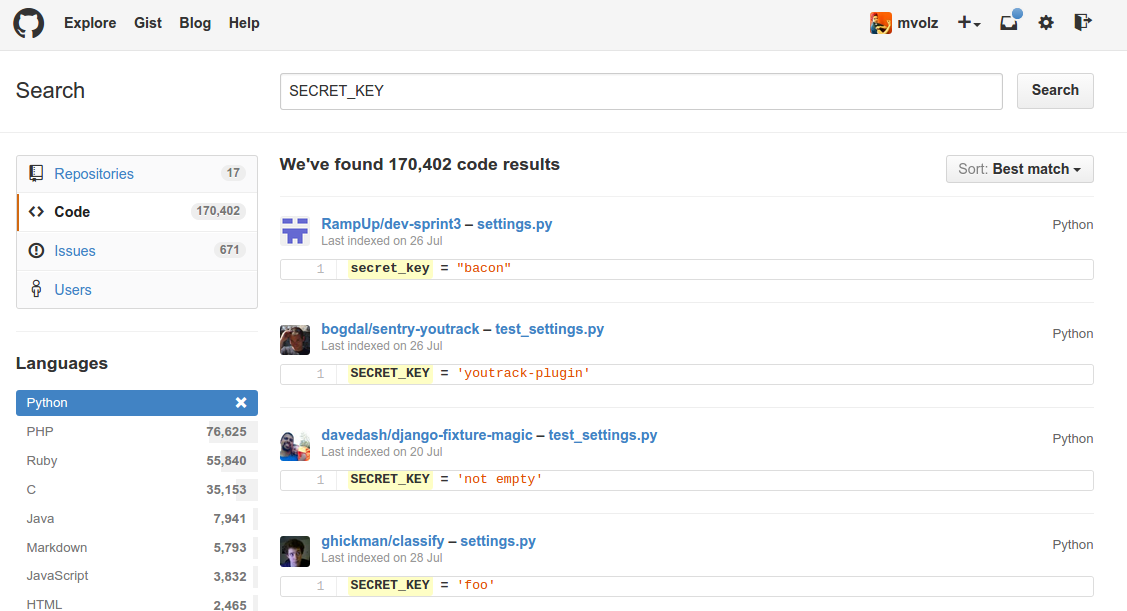
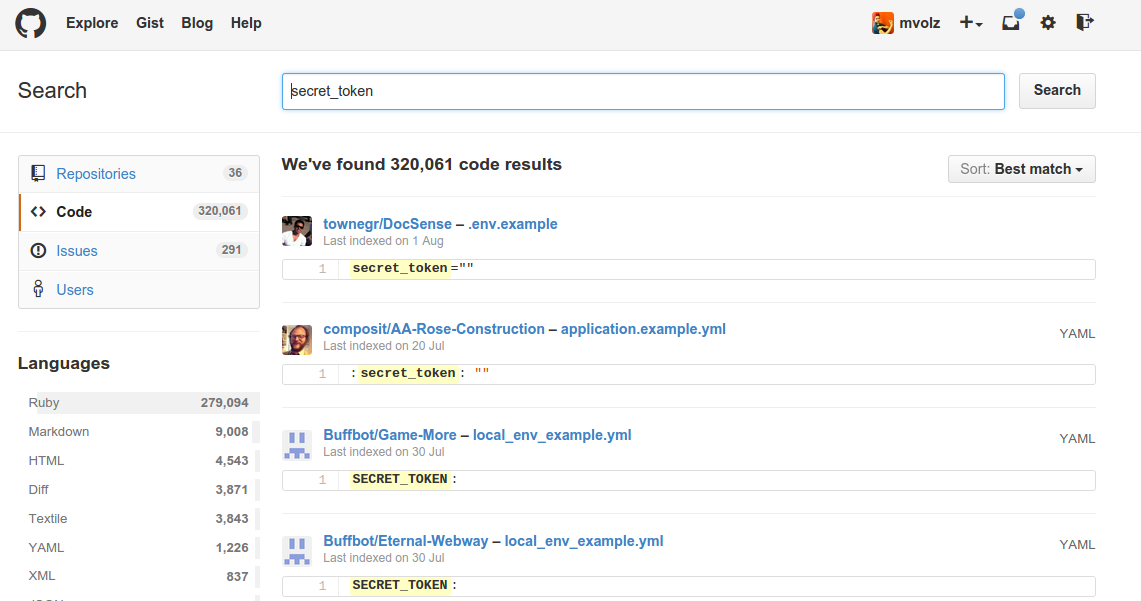 How to hack a rails app using its secret token
Add to .gitignore:Rails <=4.0, secret_token.rb, Rails > 4.1, secrets.yml
Many web applications do not properly protect sensitive data, such as credit cards, tax IDs, and authentication credentials. Attackers may steal or modify such weakly protected data to conduct credit card fraud, identity theft, or other crimes. Sensitive data deserves extra protection such as encryption at rest or in transit, as well as special precautions when exchanged with the browser.
base64_encode($credit_card_number);
pic.twitter.com/ETRrmn0RYM
— Jan Lehnardt (@janl) September 21, 2014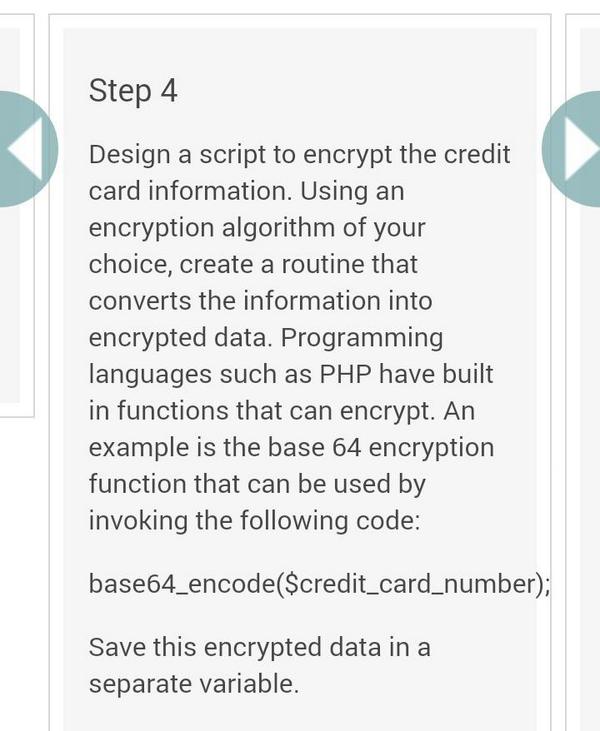
Don't do this!
Common errors
Sensitive data in url (GET)
Exposing data via API
Want to see if your friends are on Ello?
Just use the API directly to query their email (useful for spammers too) pic.twitter.com/QEXFNluvpW
— ashkan soltani (@ashk4n) October 1, 2014Most web applications verify function level access rights before making that functionality visible in the UI. However, applications need to perform the same access control checks on the server when each function is accessed. If requests are not verified, attackers will be able to forge requests in order to access functionality without proper authorization.
A CSRF attack forces a logged-on victim’s browser to send a forged HTTP request, including the victim’s session cookie and any other automatically included authentication information, to a vulnerable web application. This allows the attacker to force the victim’s browser to generate requests the vulnerable application thinks are legitimate requests from the victim.
Ruby on Rails and Django both have built-in CSRF support, but verify they are working properly on your app.
Components, such as libraries, frameworks, and other software modules, almost always run with full privileges. If a vulnerable component is exploited, such an attack can facilitate serious data loss or server takeover. Applications using components with known vulnerabilities may undermine application defenses and enable a range of possible attacks and impacts.
Node.js
retire.js: The goal of Retire.js is to help you detect the use of module versions with known vulnerabilities. Simply install with npm install -g retire. After that, running it with the retire command will look for vulnerabilities in your node_modules directory. -- Node.hs Security Tips
Web applications frequently redirect and forward users to other pages and websites, and use untrusted data to determine the destination pages. Without proper validation, attackers can redirect victims to phishing or malware sites, or use forwards to access unauthorized pages.
Framework Specific Guides
Ruby on Rails
Django
Express (Node.js)
Writing secure express.js apps
PHP
It's hopeless
Pen(etration) testing tools

OWASP Mantra - Security Framework
Free and Open Source Browser based Security Framework

Zed Attack Proxy
Find web application vulnerabilities the easy way!
THE END
by marielle volz / @mariellevolz
License: CC-SA by 4.0
This talk available online at mvolz.github.io/security/
Thanks to:
^Lift Security, who provided me with a scholarship to their training session.